Setting up a new quiz
One dialog prepares the complete structure: all folders, a score file with formulas, and for every round a round file with the right name. So you never type names by hand that the linking depends on.
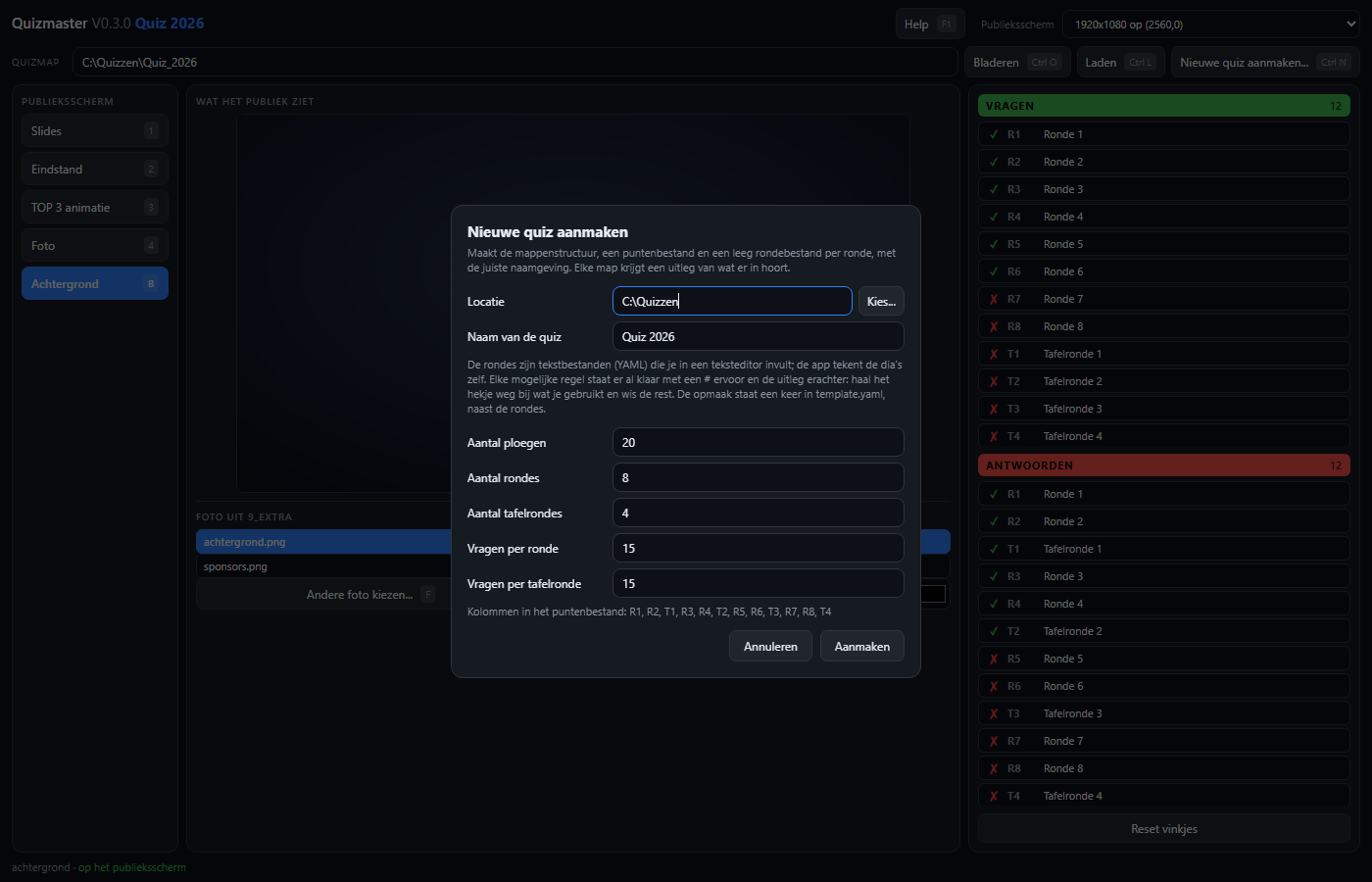
What you fill in
| Field | What it does |
|---|---|
| Location | The folder the new quiz folder goes in. |
| Name of the quiz | Becomes the folder name, and appears above the standings. |
| Number of teams | That many rows in the score file, with placeholder names you overwrite. |
| Number of rounds | Ordinary rounds: R1, R2, ... |
| Number of table rounds | Rounds on paper: T1, T2, ... |
| Questions per round | That many empty question blocks are prepared in every round file. Fifteen by default. |
| Questions per table round | The same for the table rounds. Default fifteen. |
The table rounds are spread evenly between the ordinary rounds. With eight rounds and four table rounds that becomes R1, R2, T1, R3, R4, T2, R5, R6, T3, R7, R8, T4.
And then: the editor
You fill in the rounds with the editor: per question the title, the answer, the photos and clips, with the slide as preview. The layout - where the title goes, how big the text is, which font - lives once in the template next to the questions and applies to all rounds together; the table rounds have their own. The answers repeat nothing: each answer file points to its questions, and the app shows the same slides with the answer added. The first question of round 1 is filled in as an example.
What gets created
| Part | Contents |
|---|---|
Scorebord_<name>.xlsx | Rounds as rows, teams as columns, with formulas for total and percentage. |
settings.yaml | The folder names, each seen from the root. |
1_Questions | template.yaml plus one round file per ordinary round; the first question of round 1 is filled in as an example. |
2_Questions_table | Its own template.yaml (without logos and with a wider middle band, so a large picture may reach the corners) plus one round file per table round, with the requested number of questions. |
3_Answers | One per round, numbered consecutively across everything; each points to its questions file. |
| the media folders | With a _LEESMIJ.txt that explains what belongs there; 6_Images holds the chalkboard and two logos to replace. |
The teams are first called Ploeg 1, Ploeg 2, and so on. Those
names are deliberately not left empty: with an empty name the app stops reading, and then it
could not open its own score file.
From the command line
cargo run --bin maaktemplate -- "C:\path\New Quiz" <teams> <rounds> <table rounds> [questions]The same result, handy to check the naming without clicking.