The editor
A second program next to the controls: quiz-editor.exe. In it you edit the
round files and the template graphically, with the slide in the middle as the audience will
see it. What you save are plain text files in the quiz folder. With the NL,
EN and FR buttons at the top you choose the language of the
editor; the choice is remembered per quiz.
Editing a round
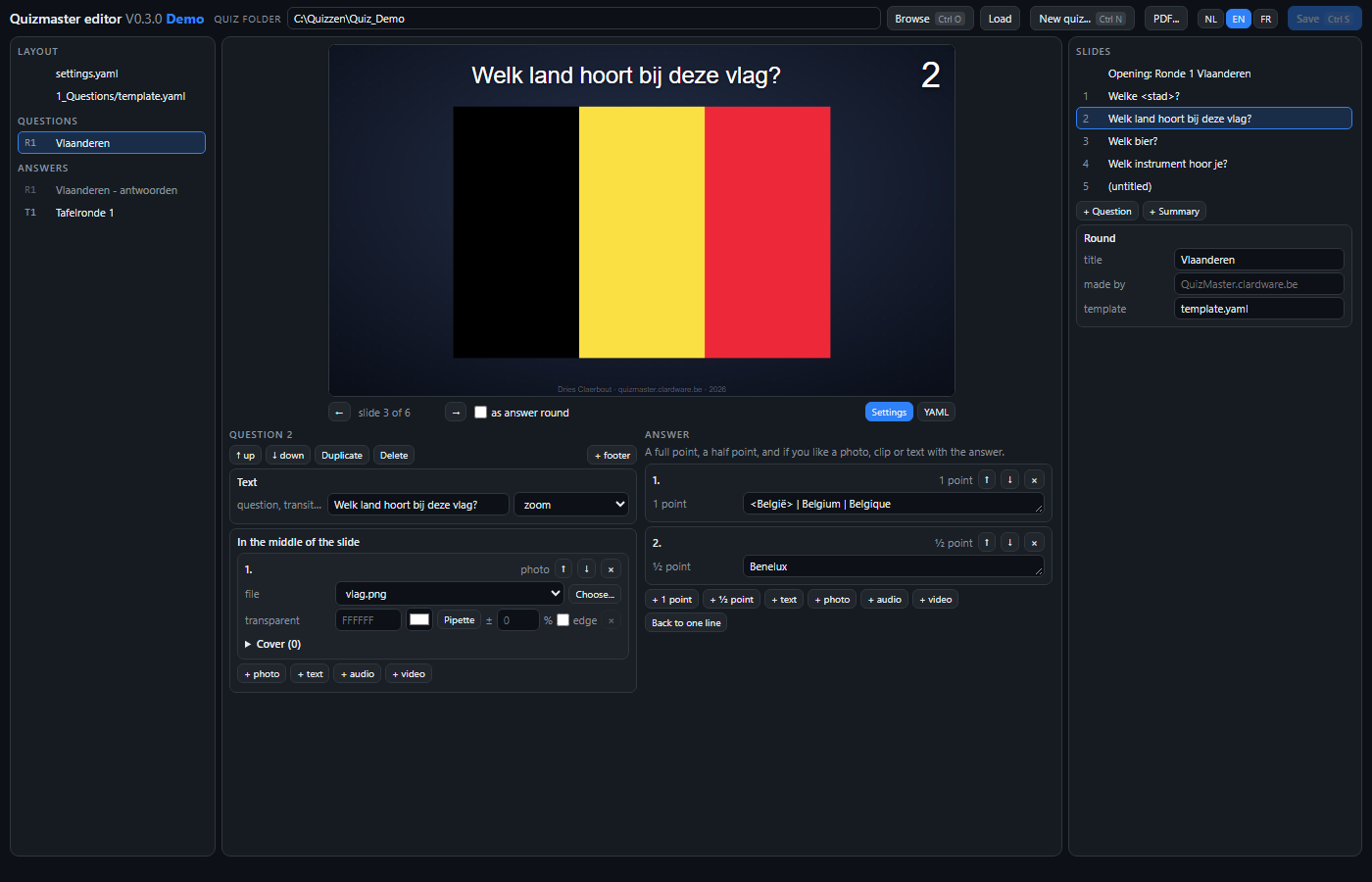
Open a quiz folder and choose a round on the left. On the right are the slides: the opening and then every question. Click one and below the preview appears everything the file can say about it, in two columns - the question left, the answer right:
| Part | What you set |
|---|---|
| Text | The question, the footer and the transition that brings the slide in. A part between < and > lights up. |
| Answer | Short: one line, with | between correct alternatives. Extended: a list with a full point, a half point, and if you like a photo, clip or text with the answer. |
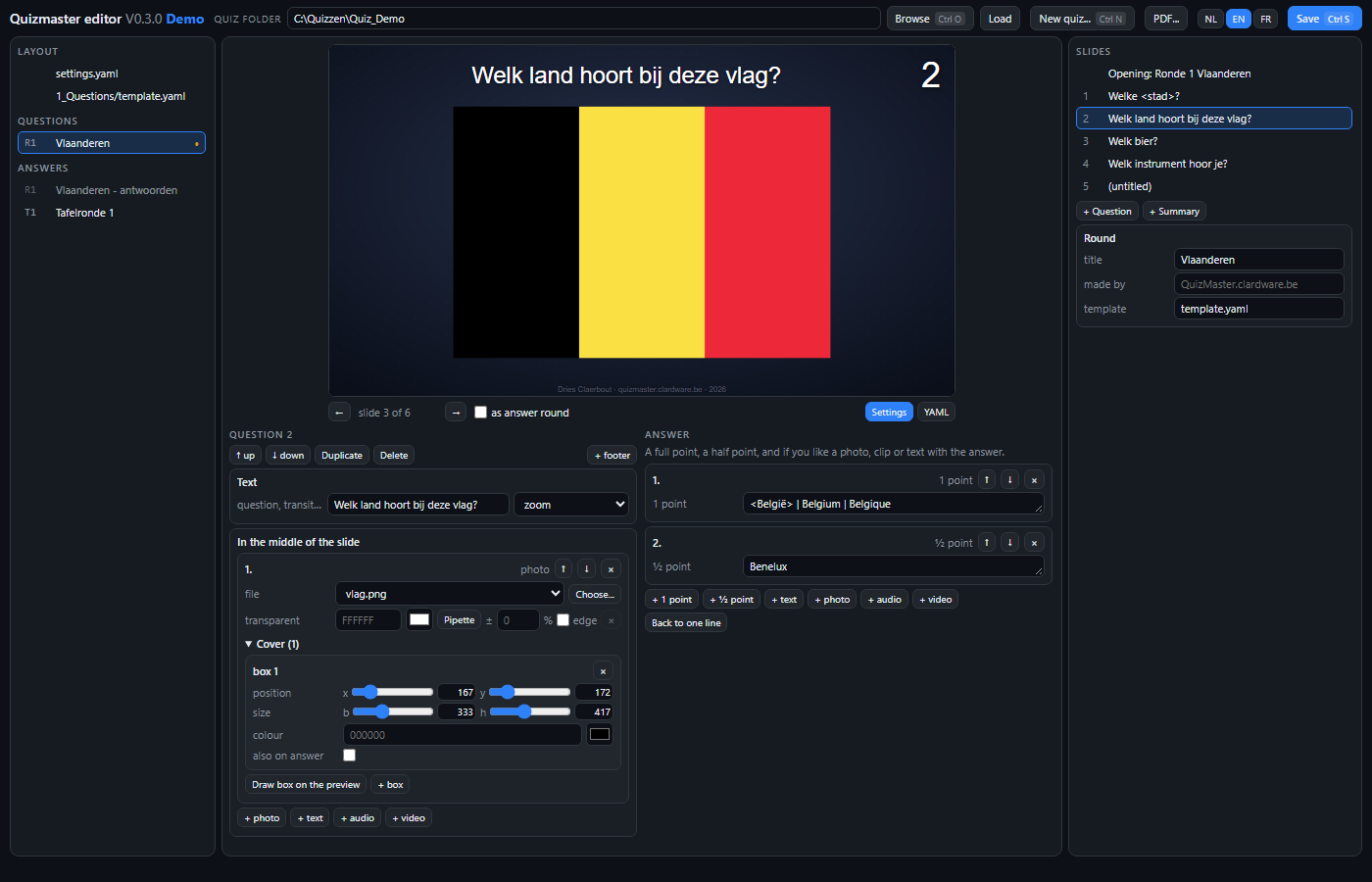
| In the middle | Photos, text, audio and video, in the order they sit next to each other. A start and end time for audio and video; for photo and video, cover boxes in per mille of the image, with sliders, each with a colour and whether it stays for the answer. You draw a box with Draw box on the preview: drag a rectangle over the image in the preview, and the sizes are filled in. For a photo also a transparent colour with the tolerance in percent that still counts: that removes an almost-white background. The Pipette picks that colour from the image in the preview, and edge keeps the same colour in the middle of the photo. |
| Summary | A block that shows all previous questions in a grid, with music if you want. |
Questions are moved, duplicated and deleted with the buttons at the top. A photo or clip is chosen from the template's media folder, or with Choose... from elsewhere - the file is then copied into that folder, because the round file only knows bare names.
The preview does not lie
The image in the middle is the same page as on the projector, fed with what is in the form right now - unsaved included. Every change shows at once. With as answer round you look at the same slides with the answer added and the cover boxes removed. PageUp and PageDown step through the slides.
If something is wrong - a cover box on audio, a time that is not a time - a red line under the preview says what, with the message of the same reader the app uses. The previous preview stays until it is right again.
Editing the template
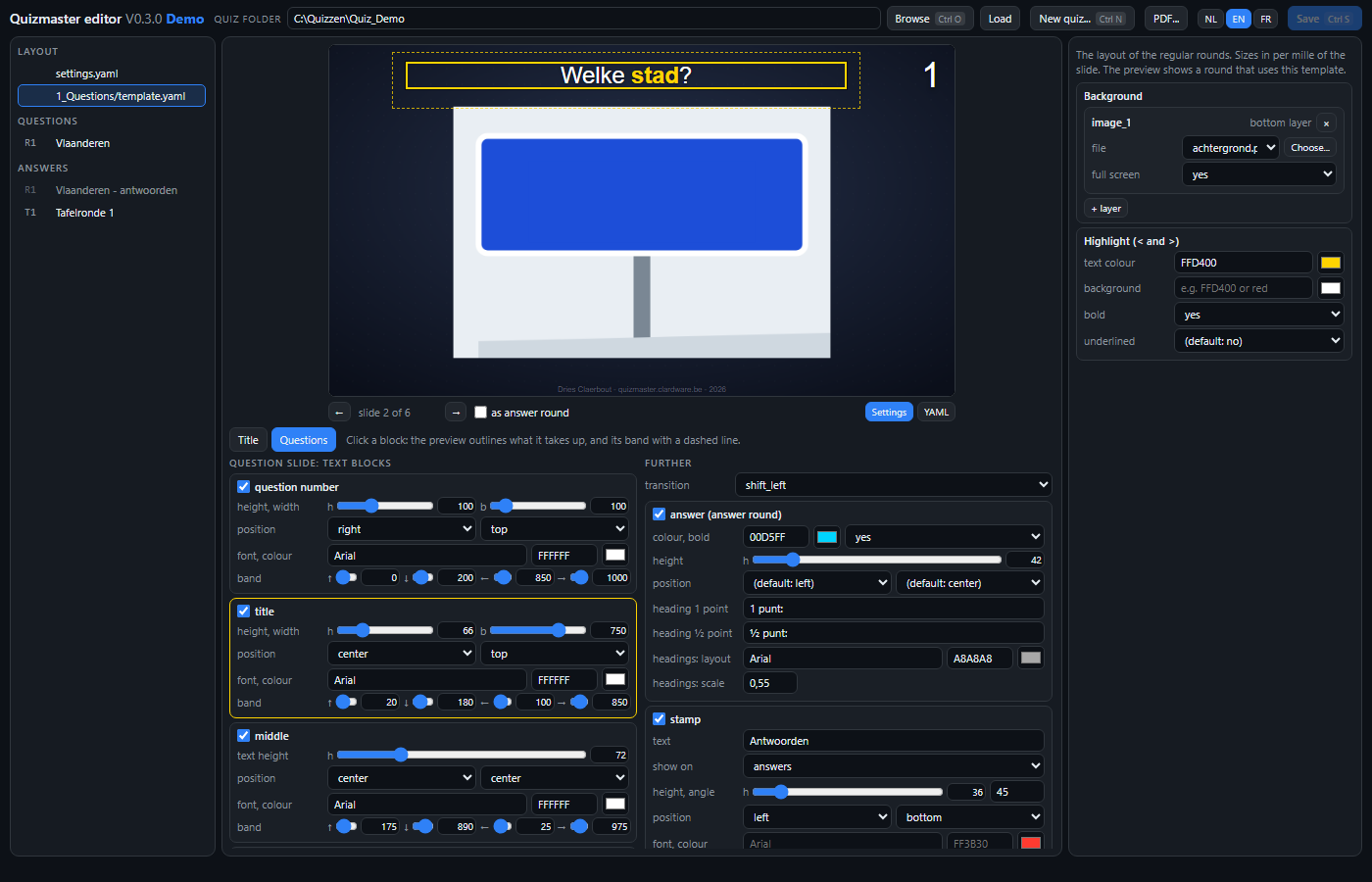
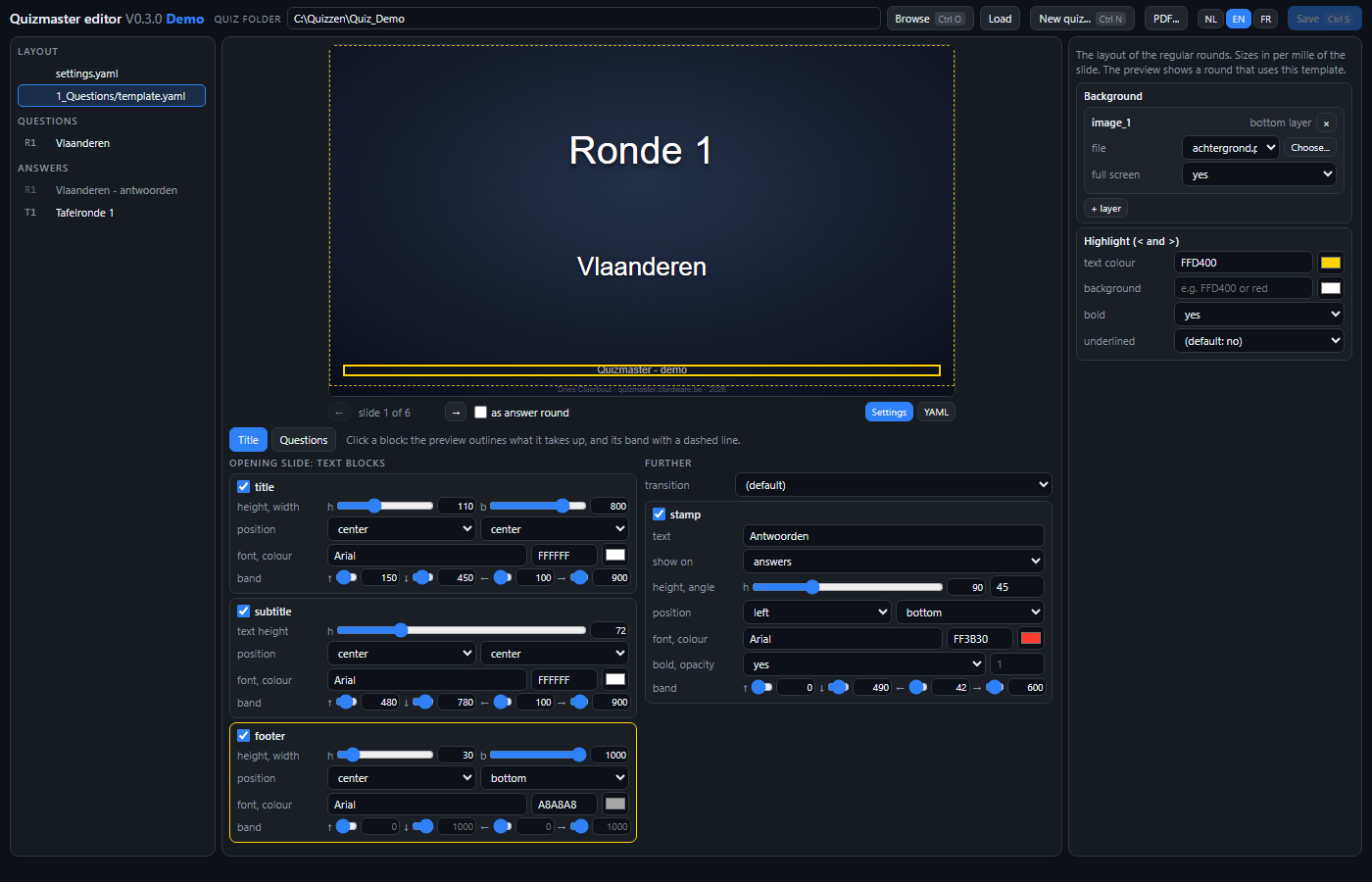
Choose a template.yaml on the left: that of the regular rounds or that of the
table rounds; a button copies one into the other. On the right are the background layers -
a logo gets a scale: its height in per mille, the width follows the image
- and the highlight. The media folders live separately, in settings.yaml. Below the preview you choose with Title
or Questions which page kind you edit - the opening slide or the question
slide - and the preview jumps to that slide of the round you last had open, with the unsaved
template applied. Per page kind every text block: height and width, where it is pushed
against, font and colour, and the band it may sit in - all sizes in per mille of the slide,
as sliders with the value next to them. Then the answer style and the stamp. A block you
untick disappears from the file and is not drawn.
Click a block and the preview draws a line around what it takes up, and a dashed line around its band: you see at once what you are working on. The same goes for a background layer, the answer and the stamp - the last two switch the preview to as answer round when needed.
New quiz and PDF
At the top, next to Save: New quiz... (Ctrl+N) sets up a new quiz folder - folders, score file, empty rounds and a template, the same as in the control window - and opens it in the editor at once. PDF... writes the slides of the open round straight to a PDF: each slide a 16:9 sheet without margins, in 1080p or 4K. You choose all slides or only the slide the preview shows, and the preview also decides whether it is the question or the answer round. A video appears as the frame it is on at that moment. Two checkboxes leave out the full-screen background and the logos; without background the sheet is white, for printing.
Saving
Save (Ctrl+S) writes all changed files, with the schema reference on top. A file the app would not read is not written. Closing the window with unsaved work asks first. Two things to know:
- The editor rewrites the file: comments you had put in yourself are lost. The explanations are under the mouse in the editor.
- An answers file that points to the questions has no slides of its own: the editor only shows that reference. You edit the answers with the questions.
The YAML tab shows the text as it will be written, for whoever wants to see exactly what a button does. The program's interface is in Dutch, English or French.